AI Quotation & B2B Quote Management
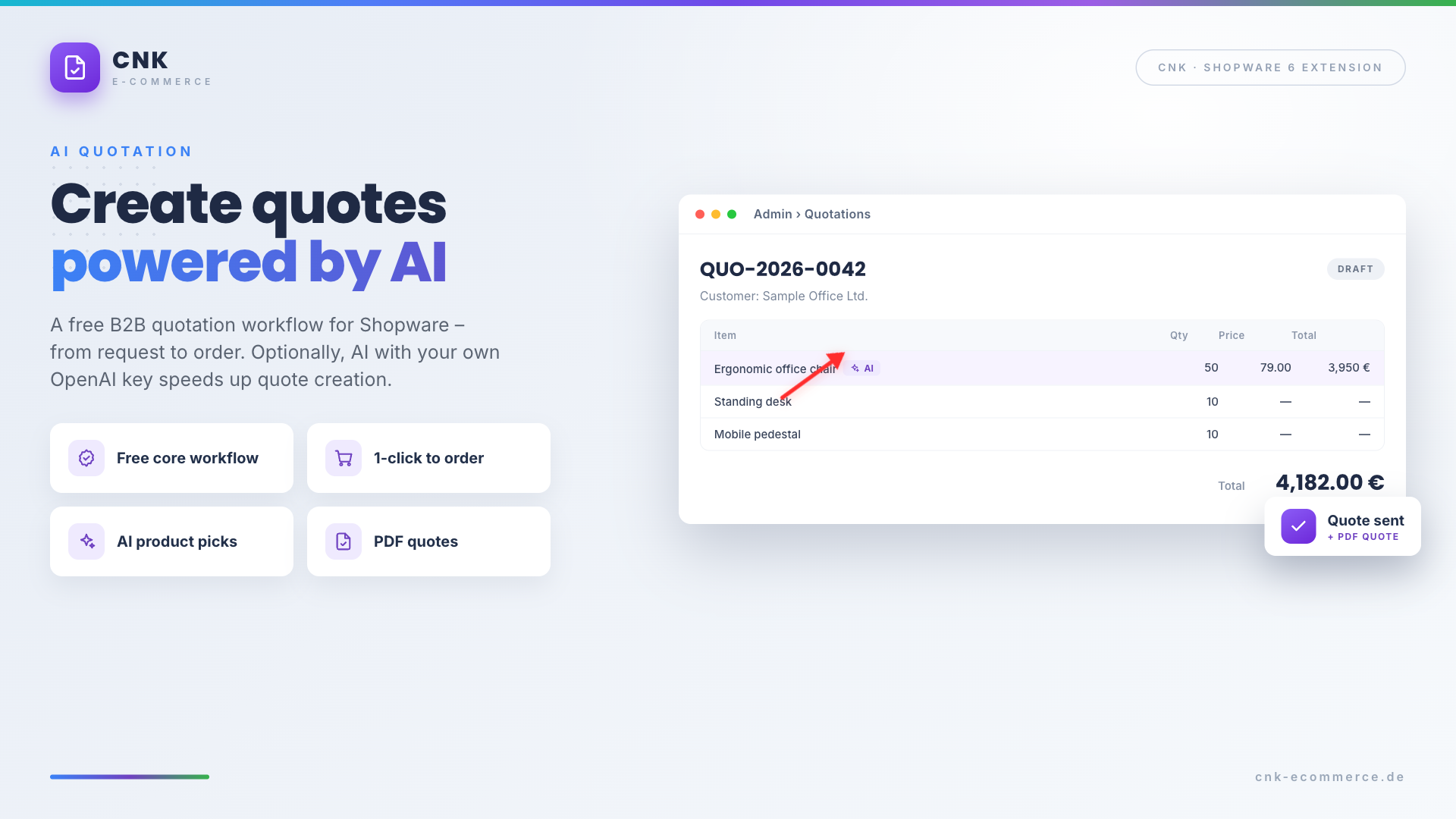
This plugin brings a complete B2B quotation workflow directly into your Shopware 6 shop – from the quote request in the storefront and quote creation in the admin to the 1-click conversion into an order. Ideal for merchants with products that require explanation or individual pricing – such as wholesale, equipment, furniture or B2B shops.
The free core already covers the entire quotation process. Optional AI plans (in-app purchase) unlock AI assistance that uses your own OpenAI API key to make quotes faster and more professional.
Highlights
- 📝 Free B2B quotation workflow – entirely inside Shopware, no external SaaS
- 🛒 "Request a quote" button in the cart and on the product page
- ⚡ 1-click conversion from an accepted quote into a Shopware order
- 🤖 Optional AI assistance with your own OpenAI API key (in-app purchase)
- 📄 PDF quotes, AI product suggestions and AI texts (plan-dependent)
- 🔒 GDPR compliant – all quote data stays in your own Shopware database
💳 Free core & optional AI plans
The plugin is free and provides a complete quotation workflow even without a plan. The AI features are booked optionally as an in-app purchase (monthly subscription) directly in Shopware – cancellable at any time. Requirements: Shopware 6.7 and active in-app purchases.
| Feature | Free | Starter | Business |
|---|---|---|---|
| "Request a quote" in the storefront (cart & product page) | ✅ | ✅ | ✅ |
| Quote request overview with status in the admin | ✅ | ✅ | ✅ |
| Quote editor (line items, discounts, custom positions) | ✅ | ✅ | ✅ |
| Send quote via email | ✅ | ✅ | ✅ |
| Customer account "My quotes" (accept / decline) | ✅ | ✅ | ✅ |
| 1-click conversion into an order | ✅ | ✅ | ✅ |
| Validity & expiry notifications | ✅ | ✅ | ✅ |
| AI product suggestions from the catalog | – | ✅ | ✅ |
| AI generator for quote texts | – | ✅ | ✅ |
| PDF export of quotes | – | ✅ | ✅ |
| Reminder email before expiry | – | ✅ | ✅ |
| AI free-text parser (products, quantities, deadlines) | – | – | ✅ |
| AI discount recommendation from customer history | – | – | ✅ |
| Multiple quote variants & templates | – | – | ✅ |
| Quote statistics | – | – | ✅ |
Nothing is hidden
Locked AI features stay visible in the interface – with a hint about which plan unlocks them and a button to purchase directly (in-app purchase). Shopware shows the current prices directly in the in-app purchase dialog.
🔧 Installation
- Requirement: CNK Foundation plugin
- Installation via the Shopware Store or ZIP
- Activation in the Plugin Manager
- Menu entry visible under Orders > Quotations
⚙️ Configuration
You can find the plugin configuration under Settings > Extensions > AI Quotation & B2B Quote Management.
| Setting | Description | Default |
|---|---|---|
showQuoteButtonInCart | Show the "Request a quote" button in the cart | on |
showQuoteButtonOnProduct | Also show the button on the product page | off |
quoteValidityDays | Default validity of new quotes in days | 14 |
quoteNumberPrefix | Prefix of the quote number (e.g. QUO-2026-0042) | QUO |
adminNotificationEmail | Email for notifications about new requests | – |
openaiApiKey | Your own OpenAI API key (AI features only) | – |
openaiModel | OpenAI model used | gpt-4o-mini |
quotationLanguage | Language of the AI-generated texts | de |
reminderBeforeDays | Days before expiry for the reminder email (Starter) | 3 |
autoParseRequests | Automatically pre-process requests with AI (Business) | on |
OpenAI API key
The AI settings are only relevant for the AI features. You store your own OpenAI API key – no quote or customer data is transferred to CNK.
🛒 Request a quote (storefront)
Customers trigger a request via a "Request a quote" button:
- In the cart (optionally instead of or next to the checkout button)
- Optionally on the product detail page
The request form is pre-filled with the current cart items and offers a free-text field for the customer's message. Each request creates a record with status open.
📋 Manage requests & quotes
Under Orders > Quotations you manage the entire process:
- Requests: list of all quote requests with customer, date, message and status
- Quotes: list of all created quotes with number, customer, total, validity and status
Status values: open, in progress, quoted, accepted, declined, expired.
Quote editor
The editor allows full manual quote creation:
- Customer selection, quote number, validity date and internal note
- Line items with product search (Shopware DAL), quantity, unit price and discount
- Custom positions without a catalog reference (name + price)
- Automatic calculation of subtotal, discount and grand total
🤖 AI assistant
The AI assistant (side panel in the quote editor) speeds up creation:
- Product suggestions (Starter): enter a free-text description → the AI suggests matching products from the Shopware catalog including quantity.
- Quote text generator (Starter): creates a professional intro text (DE/EN) based on customer and line items.
- Free-text parser (Business): automatically detects products, quantities and delivery deadlines from the customer message.
- Discount recommendation (Business): suggests a discount incl. reasoning based on customer history (spend, order frequency).
Your own OpenAI key
All AI calls run through your own OpenAI API key. You keep full control over model choice and costs.
⚡ From quote to order
Customers see their quotes in the customer account under "My quotes":
- Review the quote with all line items, intro text and validity
- Accept the quote → automatic conversion into a regular Shopware order
- Or decline
Accepted quotes then appear in the Shopware order management as usual.
📄 PDF quotes
From the Starter plan onwards, a dedicated Shopware document type cnk_quotation is available. The PDF contains the logo, quote number, customer data, line items, totals, validity date, intro text and payment terms.
📬 Email notifications
The plugin sends messages via the Shopware mail system:
| Type | Recipient | From plan |
|---|---|---|
| New request received | Admin | Free |
| Quote sent | Customer | Free |
| Quote accepted / declined | Admin | Free |
| Quote expired | Customer | Free |
| Reminder before expiry | Customer | Starter |
Expiry and reminder emails are triggered via scheduled tasks.
Requirement: background worker
The automatic sending requires the Shopware background worker (message queue & scheduled tasks). On Shopware Cloud and most managed hostings this is active by default.
🔒 Data protection (GDPR)
The plugin works inside your Shopware installation. All request, quote and customer data stays in your own Shopware database. AI calls are made exclusively through your own OpenAI API key; there is no data transfer to CNK.
❓ FAQ
Is the plugin free?
Yes. The complete quotation workflow – request, creation, sending and conversion into an order – is permanently free. The AI features are booked optionally via in-app purchase.
Do I need an OpenAI account?
Only for the AI features. You store your own OpenAI API key; no data is transferred to CNK.
What happens when a customer accepts a quote?
The quote is converted into a regular Shopware order with one click and appears in the order management.
Do I have to buy the AI features to create quotes?
No. Quotes can be created, sent and accepted entirely for free. The AI only speeds up the creation.
Which Shopware version is required?
Shopware 6.7. The AI plans additionally require in-app purchases.