Full item numbers on documents
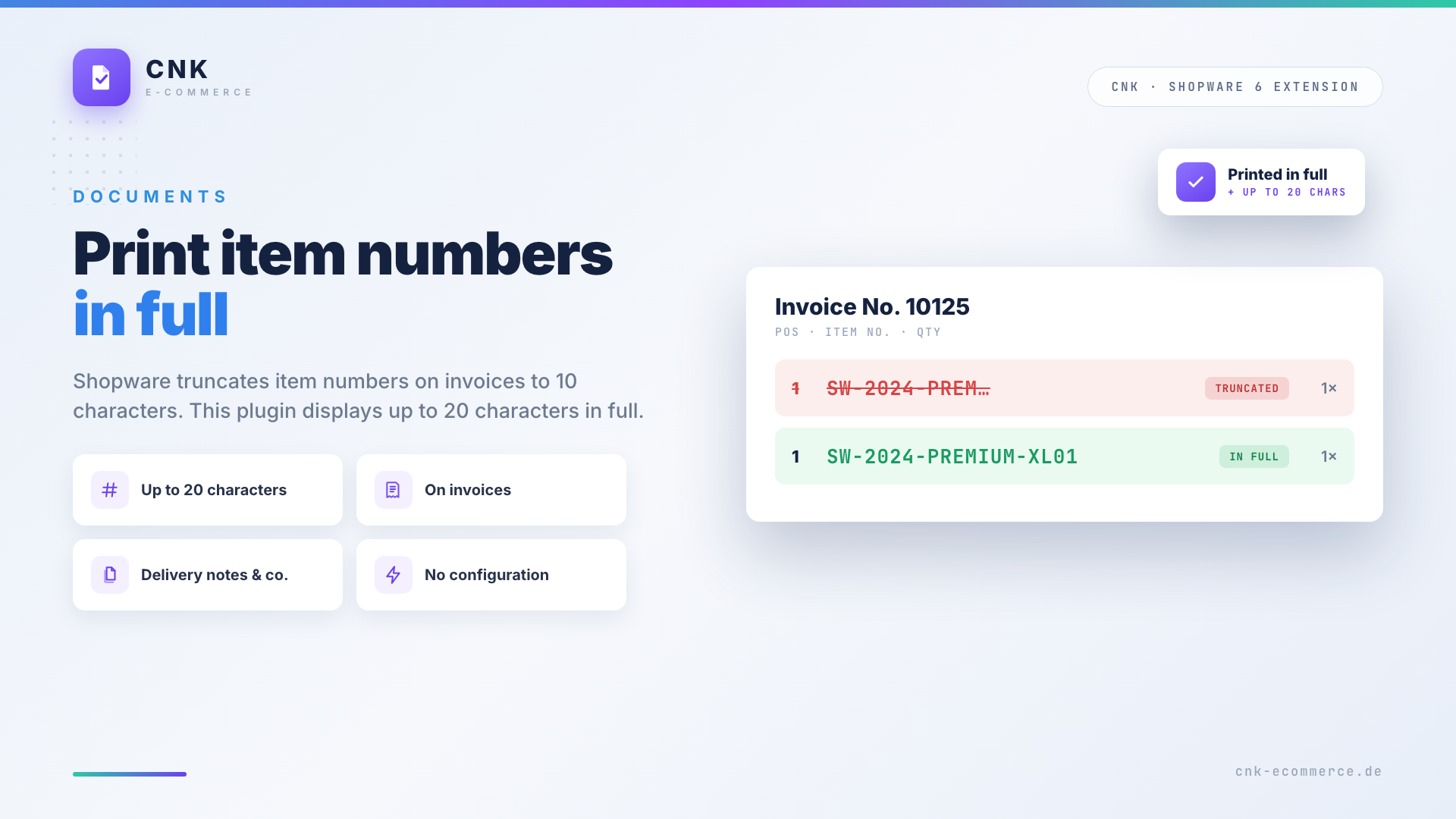
By default Shopware truncates the item number on invoices and other documents to 10 characters. Long or structured item numbers (e.g. SW-2024-PREMIUM-XL01) get cut off and become unusable. With the Full item numbers on documents plugin, item numbers with up to 20 characters are displayed in full on your documents – without any configuration.
Highlights
- 🔢 Display item numbers with up to 20 characters in full
- 🧾 On invoices, delivery notes, credit notes & cancellations
- ✅ Correct documents for customers, accounting & logistics
- ⚡ Ready to use instantly – no configuration
- 🧑💻 No code required
🔧 Installation
- Install via the Shopware Store
- Install and activate the plugin in the Plugin Manager
- Done – item numbers are now printed in full
No configuration is required.
❌ The problem: truncated item numbers
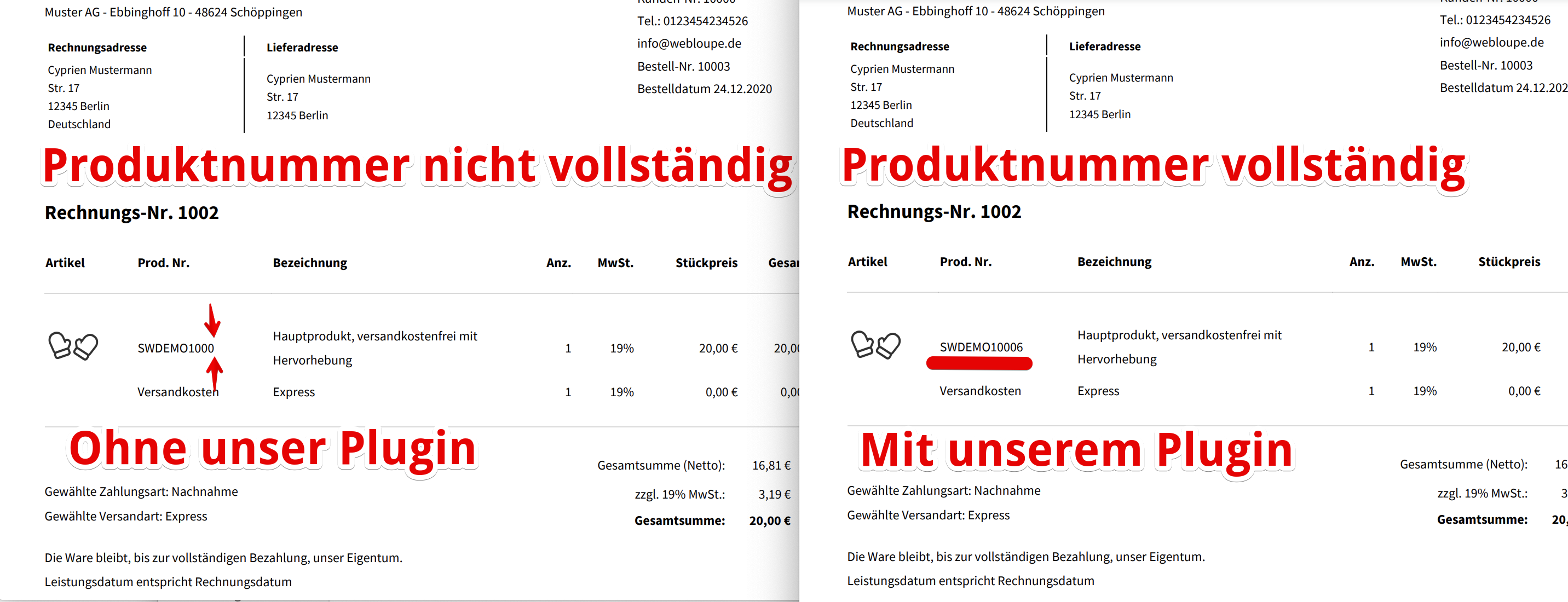
Without the plugin, Shopware cuts the item number after 10 characters – the actual number is no longer recognizable on the document.
✅ Before & after
On the left the truncated item number by default, on the right the full number with the plugin:
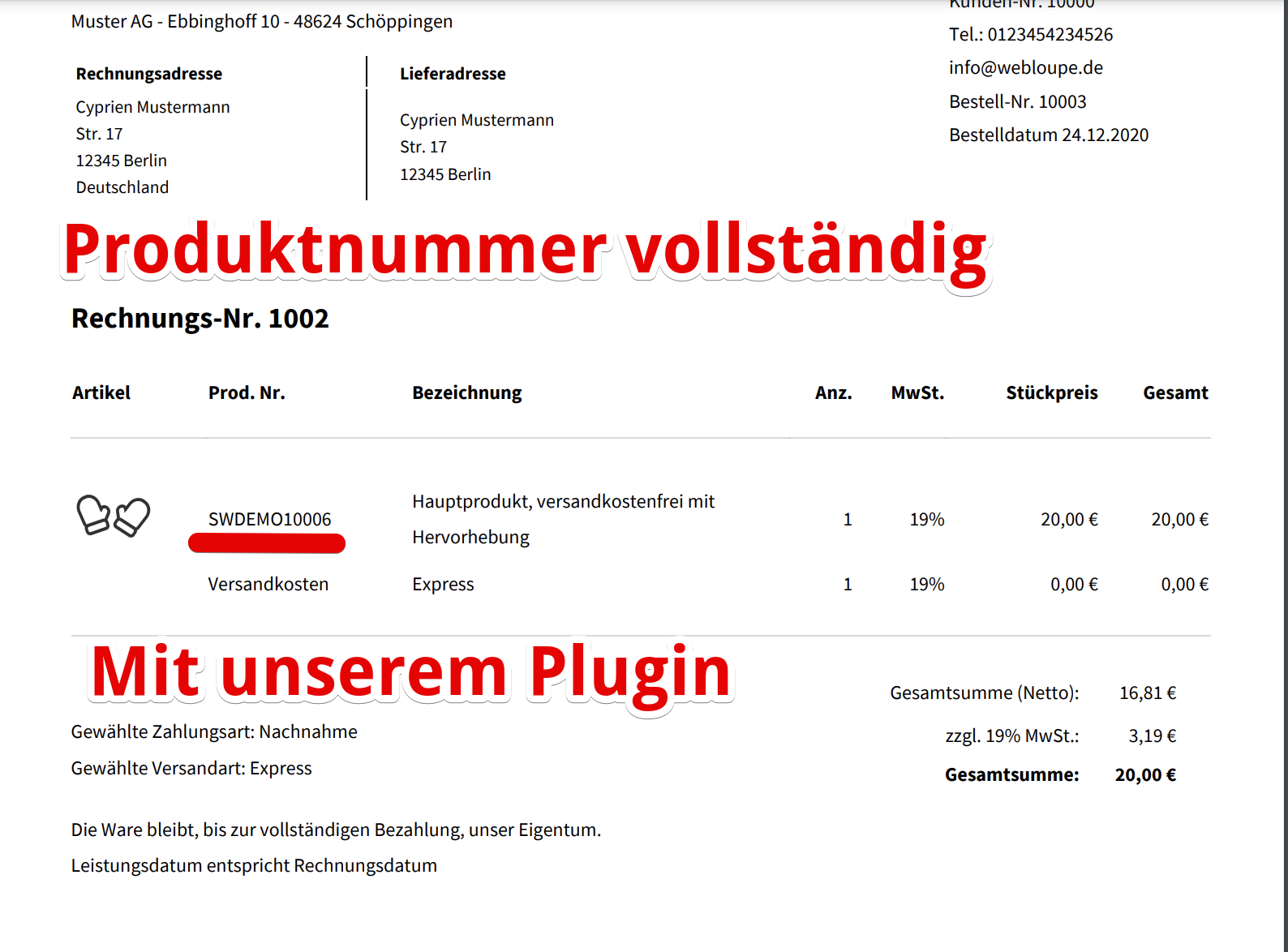
On the finished document the complete item number appears automatically:
🧩 Supported documents
- Invoice
- Delivery note
- Credit note
- Cancellation invoice
❓ FAQ
Why are my item numbers truncated?
By default Shopware limits the item number on documents to 10 characters. This plugin raises the limit to 20 characters.
Do I need to configure anything?
No. After activation, item numbers are displayed in full automatically.
Up to how many characters are displayed?
Up to 20 characters.
Does it work with structured item numbers?
Yes. Regardless of the format, up to 20 characters are shown in full on the documents.
Do I need to recompile the theme?
No. After activation, the full item numbers are printed automatically.
📬 Support
For questions, improvement suggestions or individual adjustments, contact us by email at support@cnk-plugins.de.