E-mail Address on Invoices and Delivery Notes
With the E-mail address on invoices and delivery notes plugin, your customers' e-mail address automatically appears in the header area of the invoice – and, if desired, on the delivery note as well. Queries about an order reach the customer without detours, and your documents contain all relevant contact details.
Highlights
- ✉️ Customer e-mail address automatically in the invoice header
- 📦 Optionally also on the delivery note
- 🏷️ "E-Mail:" label can be shown or hidden
- 🌐 Activatable / deactivatable per sub / language shop (sales channel)
- ⚙️ No template adjustments necessary
- 🌍 Multi-language (German, English, French)
🔧 Installation
- Install via the Shopware Store
- Install and activate the plugin in the Shopware plugin manager
- Empty the cache, compile the theme and reload the backend
- Configure the plugin
⚙️ Configuration
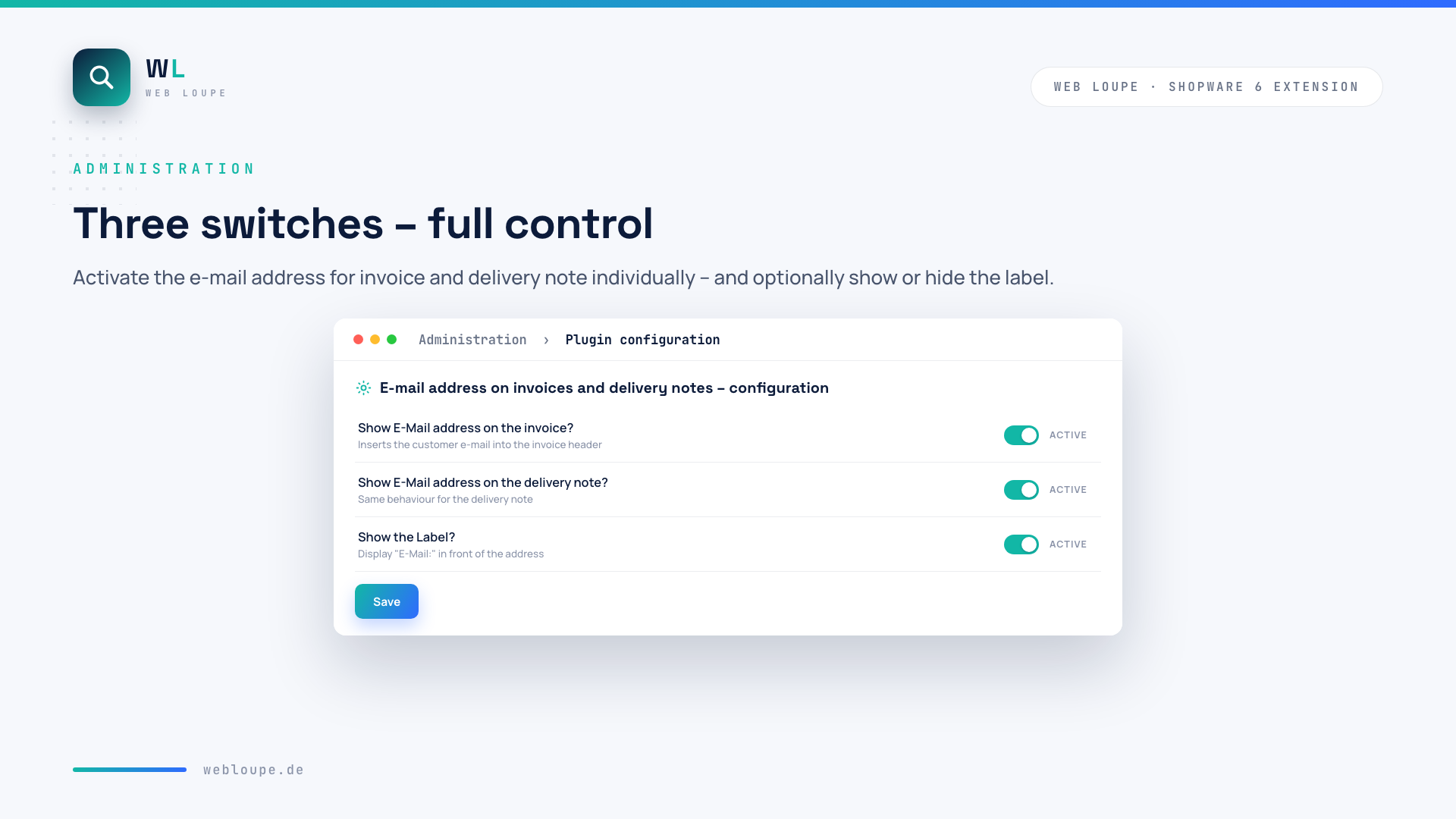
You find the configuration in the backend under Extensions → My extensions → E-mail address on invoices and delivery notes → Configuration. Three switches are all it takes:
- Show E-Mail address on the invoice? – inserts the customer e-mail into the invoice header (default: active)
- Show E-Mail address on the delivery note? – same behaviour for the delivery note (default: inactive)
- Show the Label? – displays "E-Mail:" in front of the address (default: active)
The settings apply per sub / language shop and can therefore be activated or deactivated per sales channel.
🚀 How it works
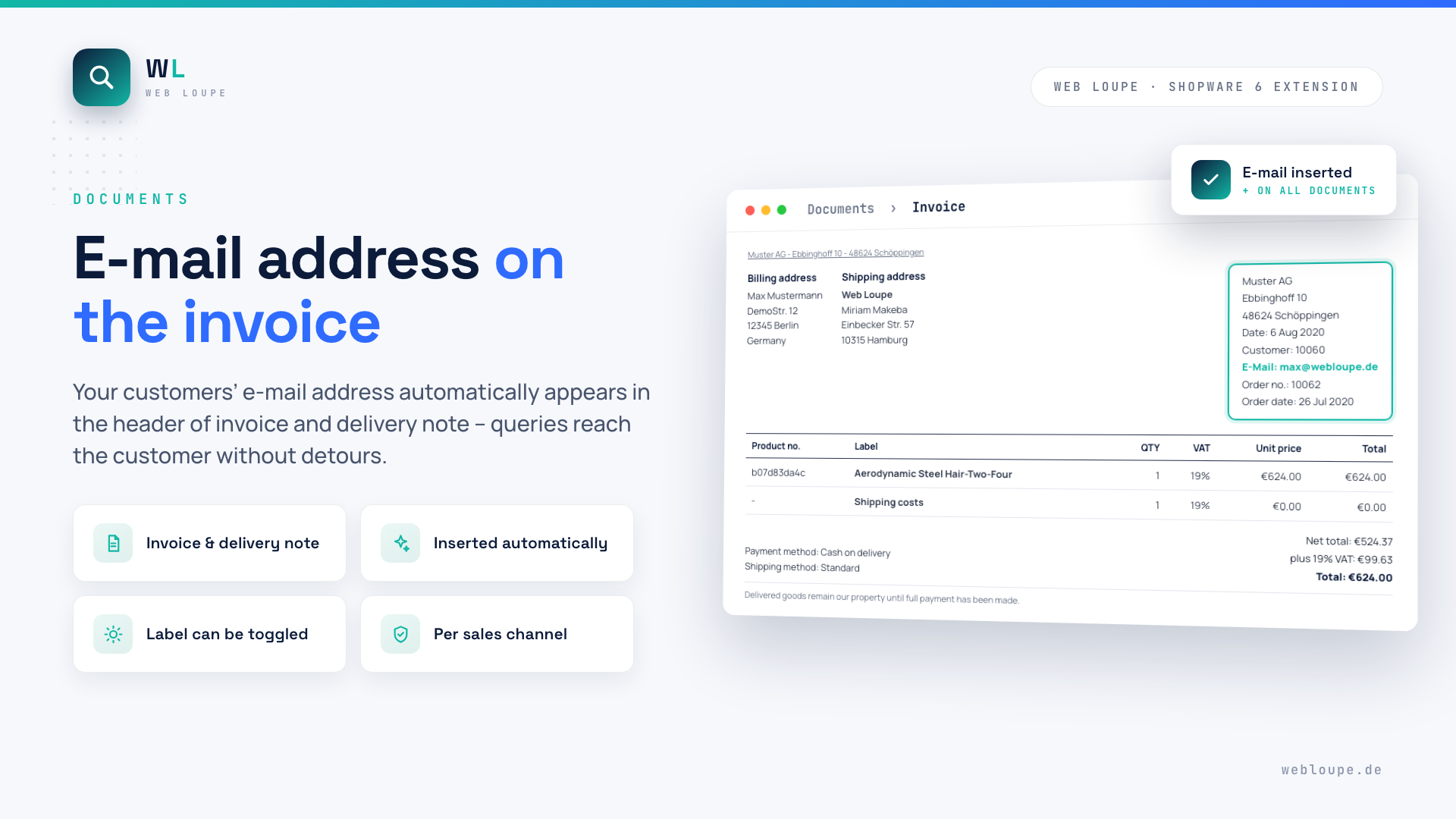
E-mail address on the invoice
After activation, the customer's e-mail address automatically appears in the information block of the invoice – next to date, customer number and order number.
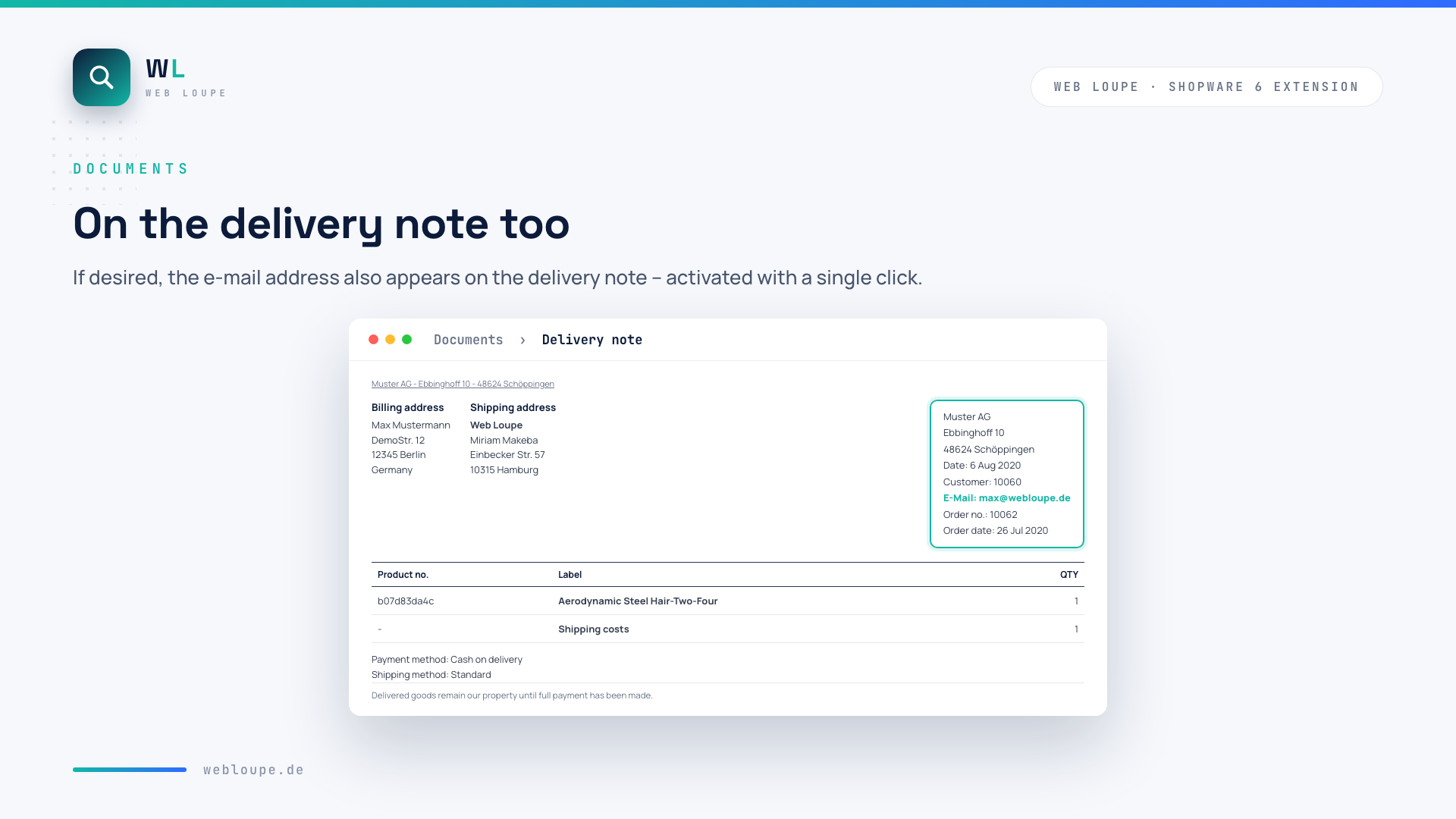
On the delivery note too
If desired, the e-mail address also appears on the delivery note – activated with a single click in the plugin configuration.
💡 Typical use cases
Faster queries
Accounting or shipping see the e-mail address right on the document and can contact the customer without going through the shop backend.
Complete documents
Invoices and delivery notes contain all relevant customer contact details – convenient for printouts and archiving.
B2B communication
For company customers with multiple contacts, the document directly shows the right contact address for the order.
❓ FAQ
On which documents does the e-mail address appear?
On the invoice and - if activated - also on the delivery note. Both options can be switched individually in the plugin configuration.
Can I hide the \"E-Mail:\" label?
Yes. Via the "Show the Label?" option only the address is printed without the preceding label.
Can the plugin be activated per sales channel?
Yes, the configuration is done per sub / language shop - you can activate or deactivate the display per sales channel.
Do I have to adjust my document templates?
No. The plugin extends the standard Shopware documents automatically, no template adjustments are necessary.
📬 Support
For questions, suggestions or individual adjustments, reach us by email at shopware@webloupe.de.