Product Review in Customer Account – Voucher
With the Product Review in Customer Account – Voucher plugin, your customers can review purchased products directly in their customer account and receive a voucher as a thank-you. This helps you collect more authentic product reviews while strengthening customer loyalty.
The voucher value is freely configurable and is based on a standard Shopware promotion. Once a review is approved, a voucher is automatically generated and sent to the customer by email – fully automated.
Highlights
- ⭐ Product reviews directly in the customer account
- 🎁 Automatic voucher as a reward for every review
- 💶 Freely configurable voucher value via Shopware promotions
- 📬 Automatic voucher delivery after the review is approved
- 🗓️ Consideration of orders from the last x days
- 🎛️ Per-sales-channel configuration – including customer group exclusion
- 📦 Control via order and delivery status
❓ FAQ
How do customers receive a voucher?
Customers review a purchased product via their customer account. As soon as the review is approved, a voucher is automatically generated and sent to the customer by email.
Can I define the voucher value myself?
Yes. The voucher value is defined via a Shopware promotion and is freely configurable – as a fixed amount or a percentage discount.
For which orders can customers submit a review?
In the General settings you define how many days back orders are taken into account and at which order and delivery status a review is possible.
Can I exclude certain customer groups?
Yes. Via Exclude customer groups you define for which customer groups the review and voucher function is not available.
Is the voucher sent automatically?
Yes. Once the review is approved, the voucher is generated automatically and sent to the customer with the configured email header and footer.
🔧 Installation
Requirement
The following plugin must be installed and activated once before using this plugin: Web Loupe Foundation Plugin.
- Requirement: Web Loupe Foundation plugin
- Installation via the Shopware Store
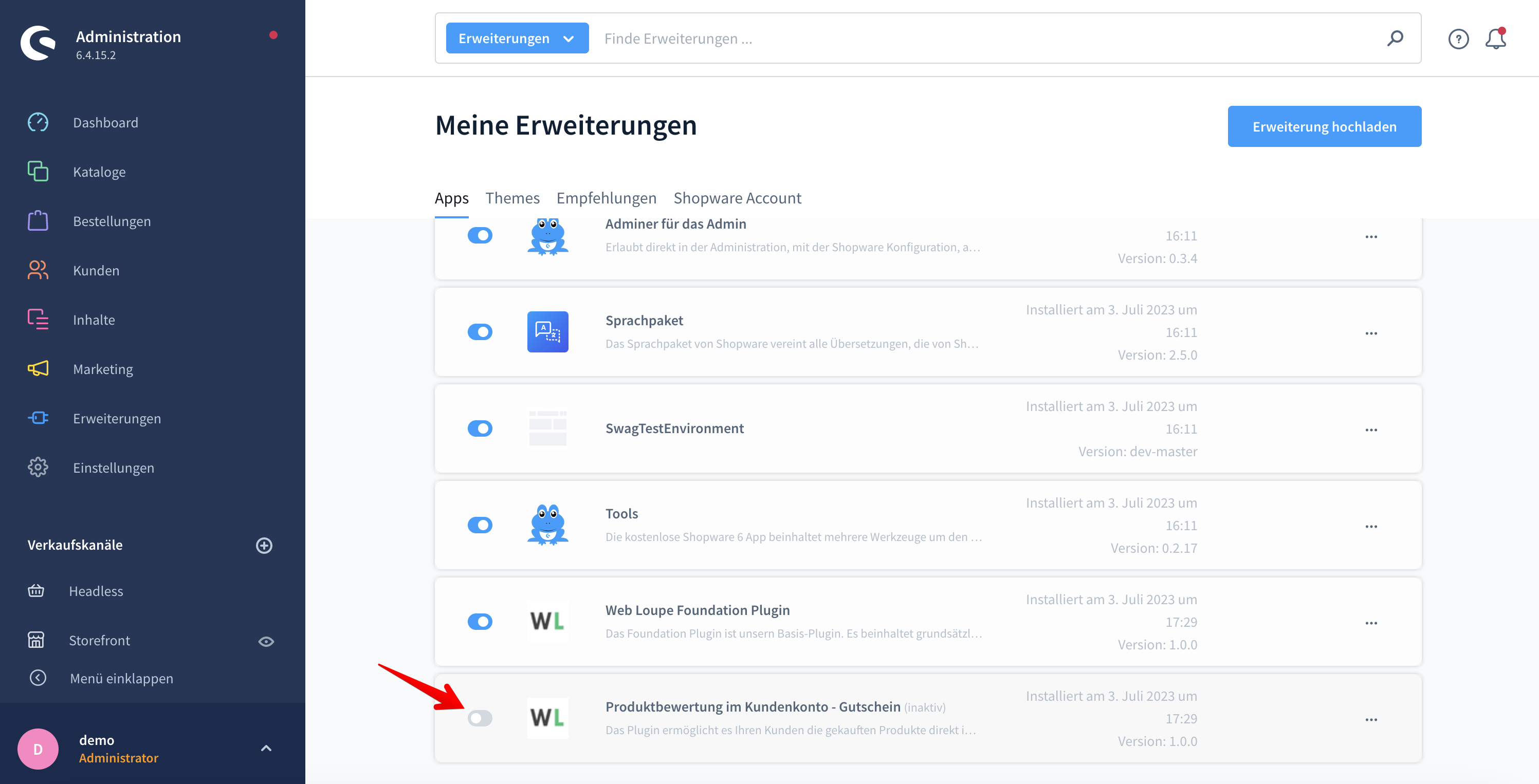
- Install and activate the plugin in the Shopware Plugin Manager
- Configure it in the admin area (see Configuration below)
Click the icon to activate the plugin:
⚙️ Configuration
The reward is based on a standard Shopware promotion. First create a promotion with the desired voucher value, then link it in the plugin configuration.
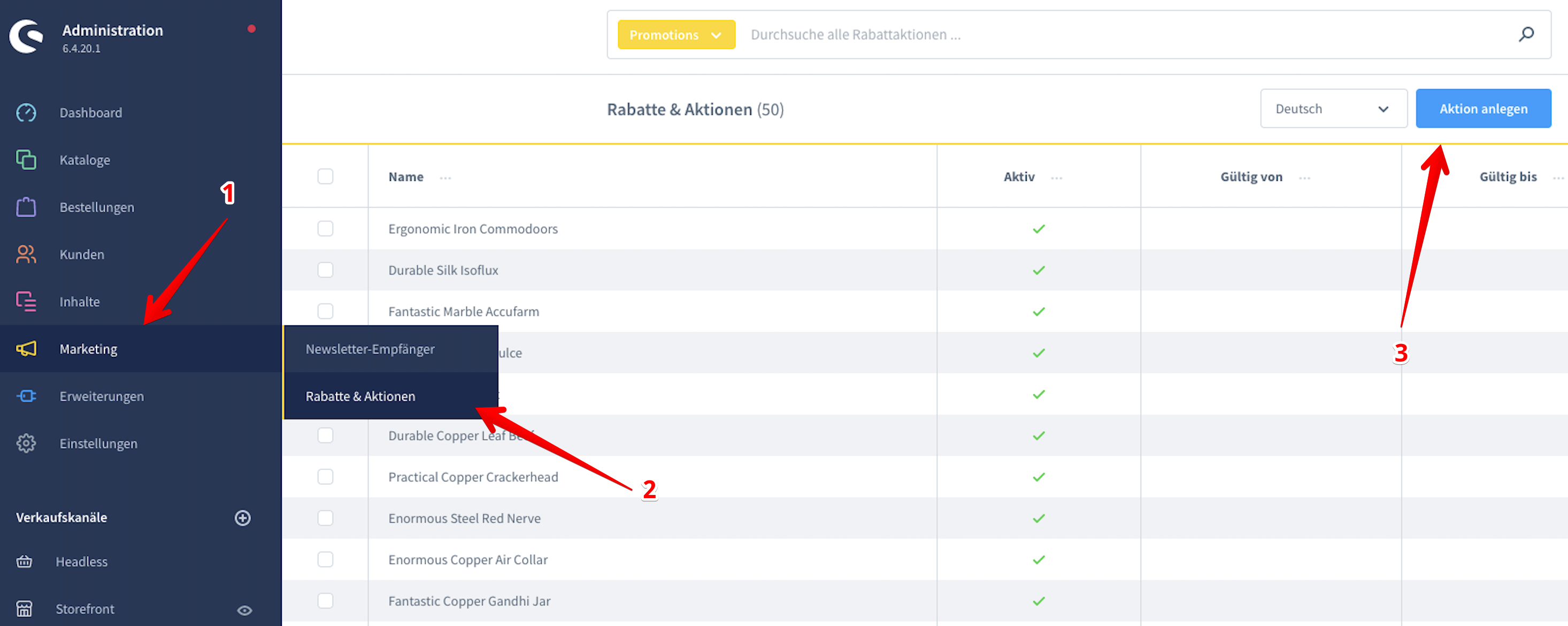
Create promotion
Create a new promotion that serves as the review voucher.
Configure promotion
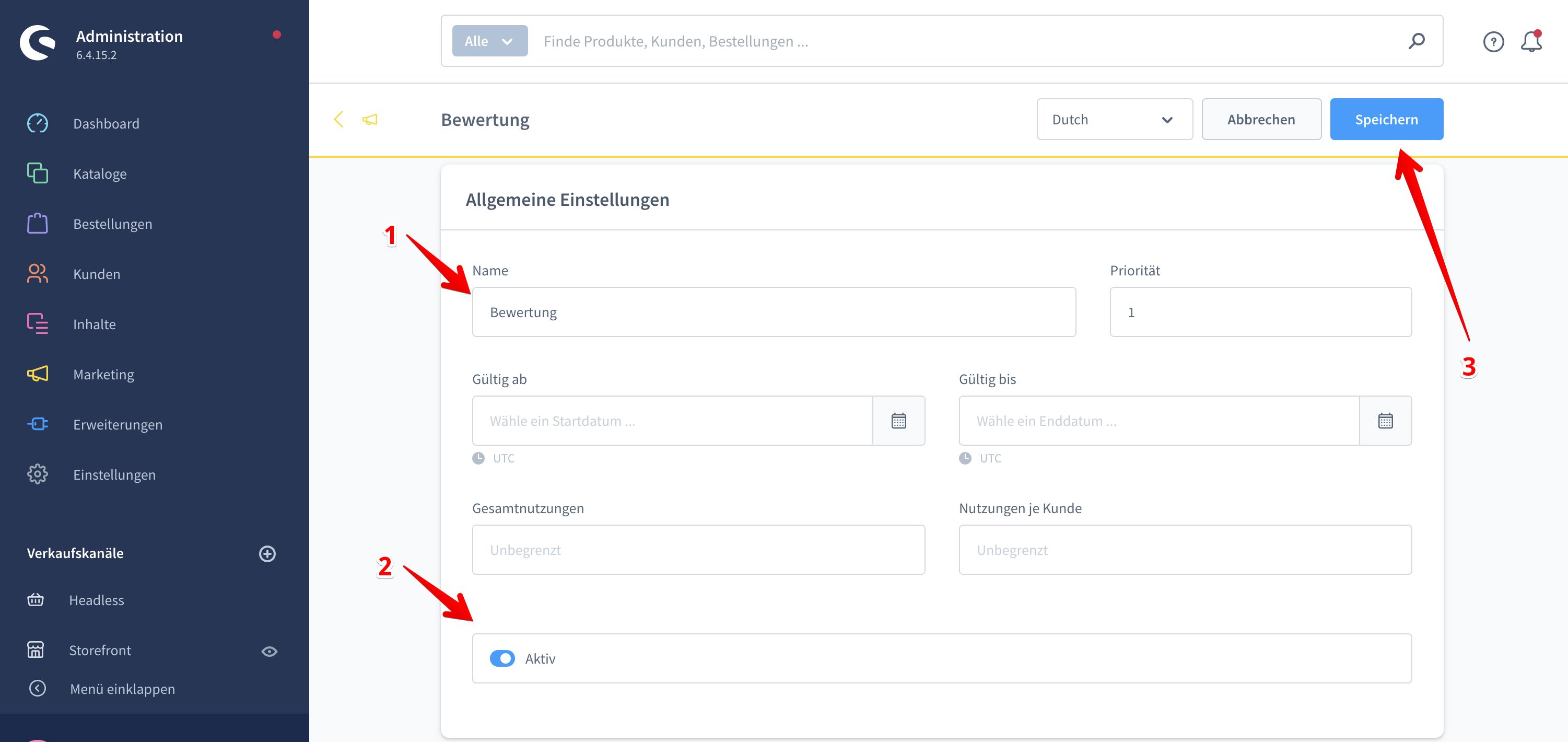
| # | Field | Description |
|---|---|---|
| 1 | Promotion name | Name of the promotion. |
| 2 | Activate promotion | Activates the promotion. |
| 3 | Save | Save the promotion. |
Add discount
Add the discount that will be credited as the voucher value to the promotion.
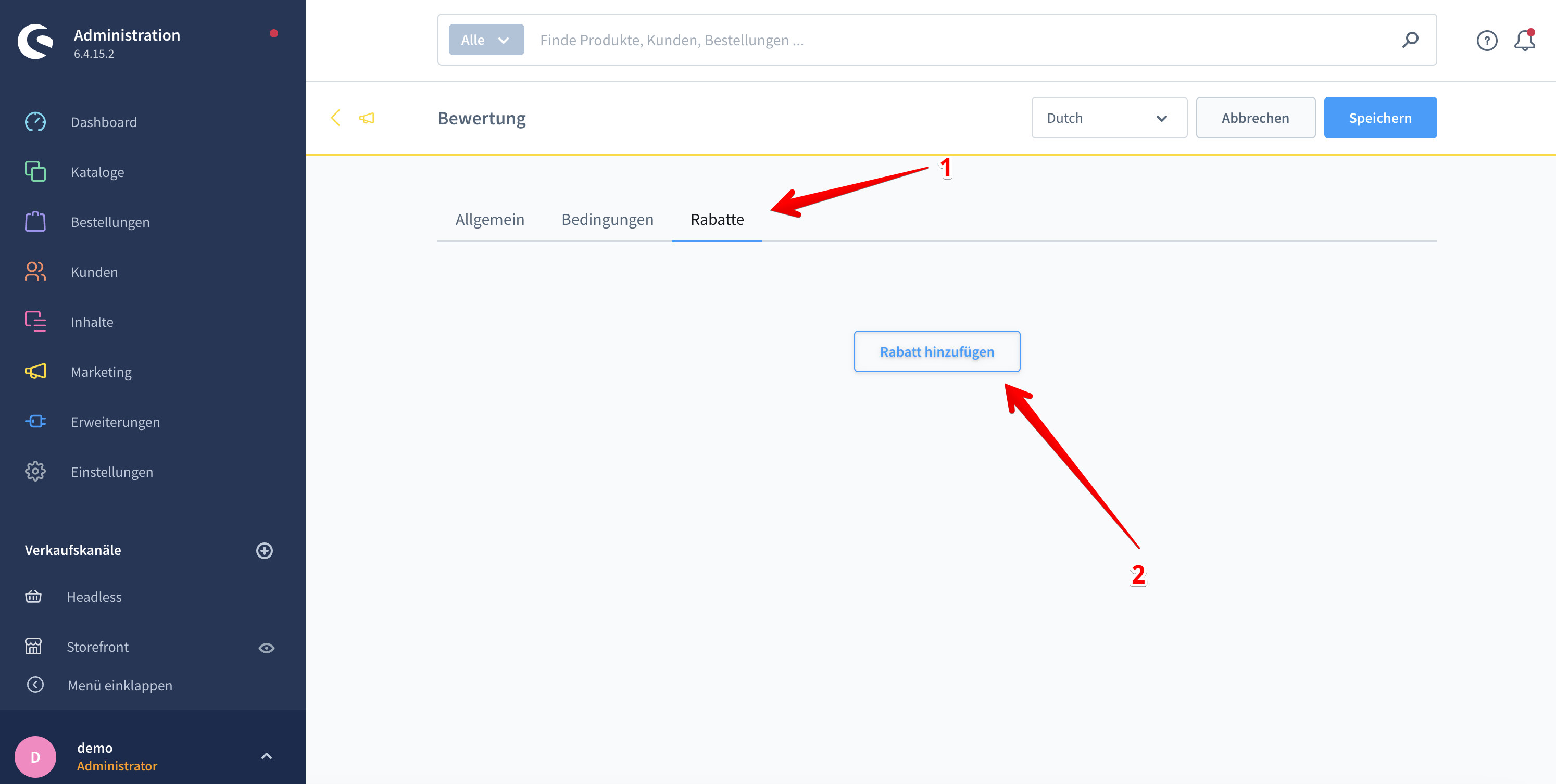
Save discount
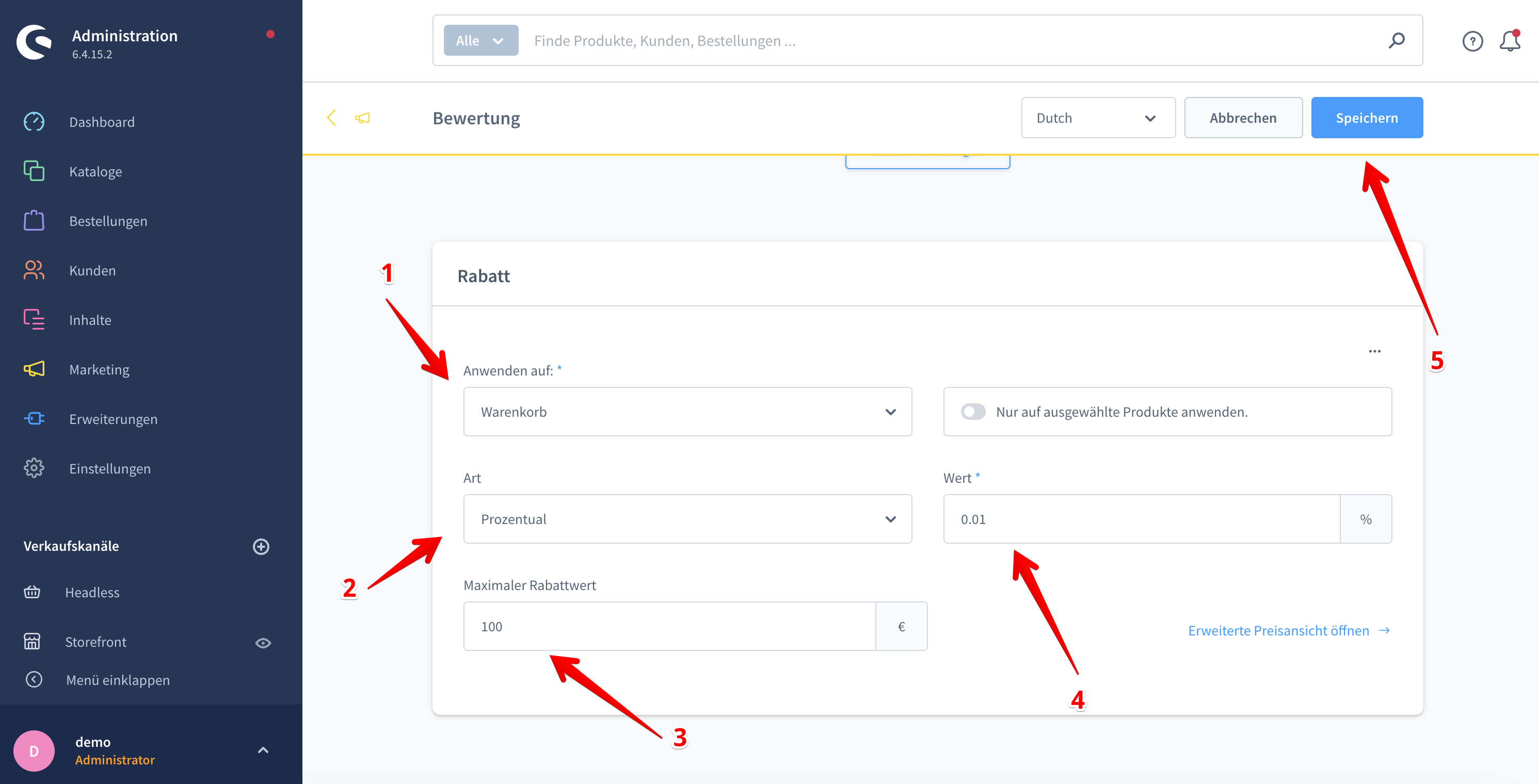
Promotion codes
Define the promotion codes that are issued as voucher codes to customers.

🛠️ Settings
General settings
In the base configuration you make the general settings.
| Setting | Description |
|---|---|
| Active | Activates or deactivates the plugin for specific sales channels. |
| Consider orders from the last x days | Defines up to which period past orders are taken into account. |
| Exclude customer groups | Customer groups for which the function is not available. |
| Order status | Defines at which order status the purchased product can be reviewed via the customer account. |
| Delivery status | Defines at which delivery status the purchased product can be reviewed via the customer account. |
Voucher – Configuration
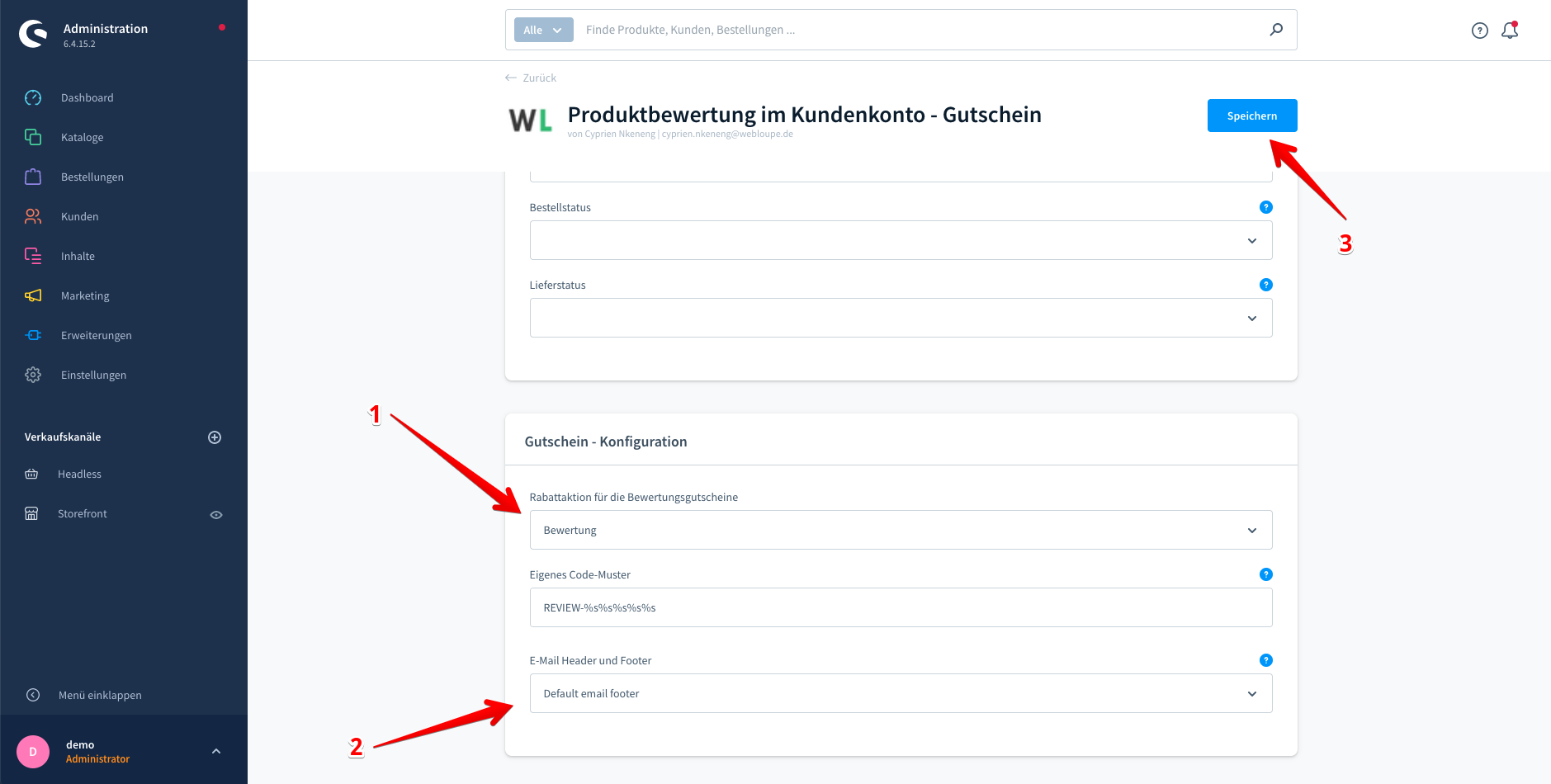
| Setting | Description |
|---|---|
| Promotion for the review vouchers | Select the promotion previously configured under Create promotion. |
| Email header and footer | Select the email header and footer for the voucher delivery. |
| Save | Save the configuration. |
Notification after review approval
Once the review is approved, a voucher is generated and sent to the customer automatically.
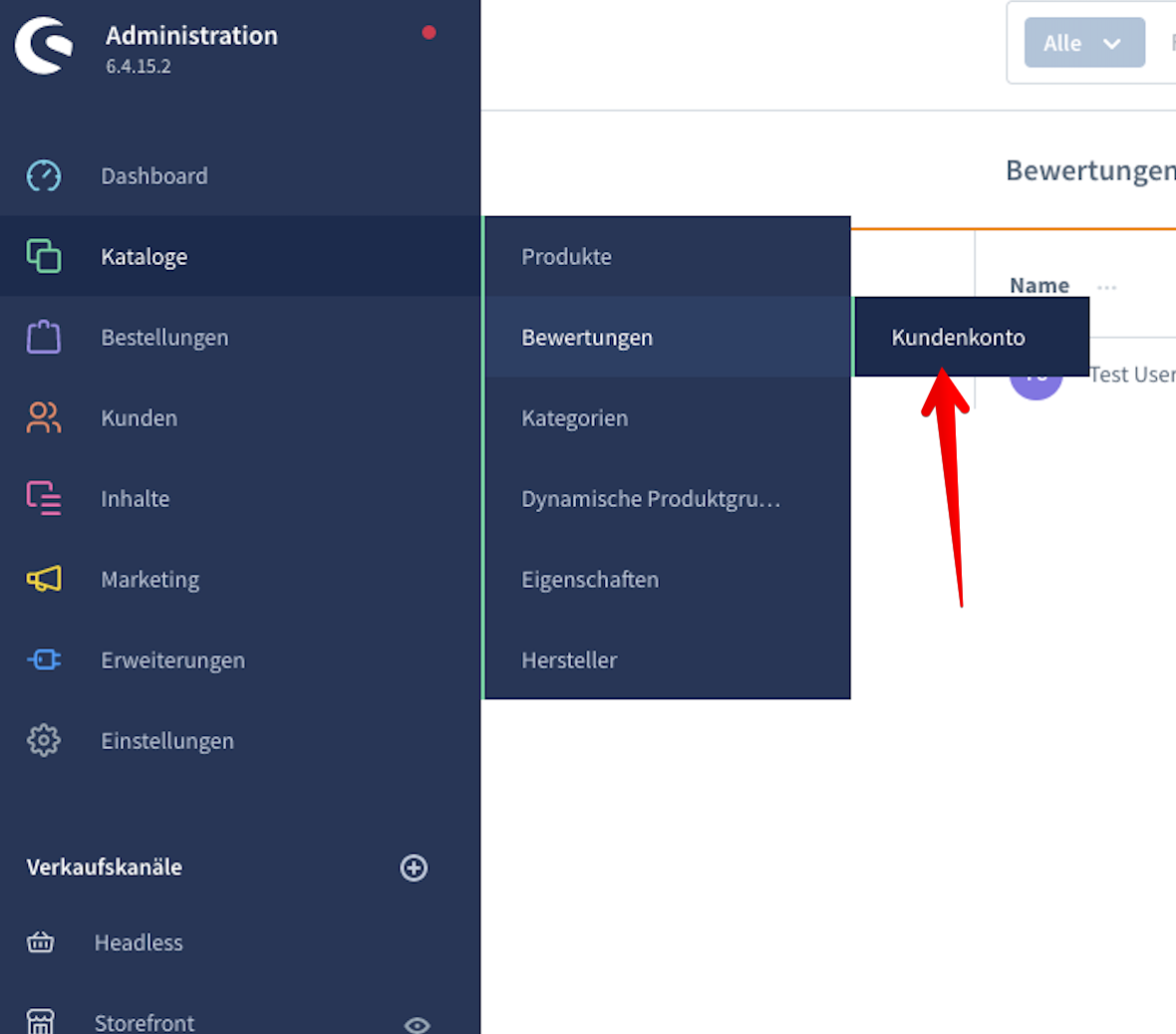
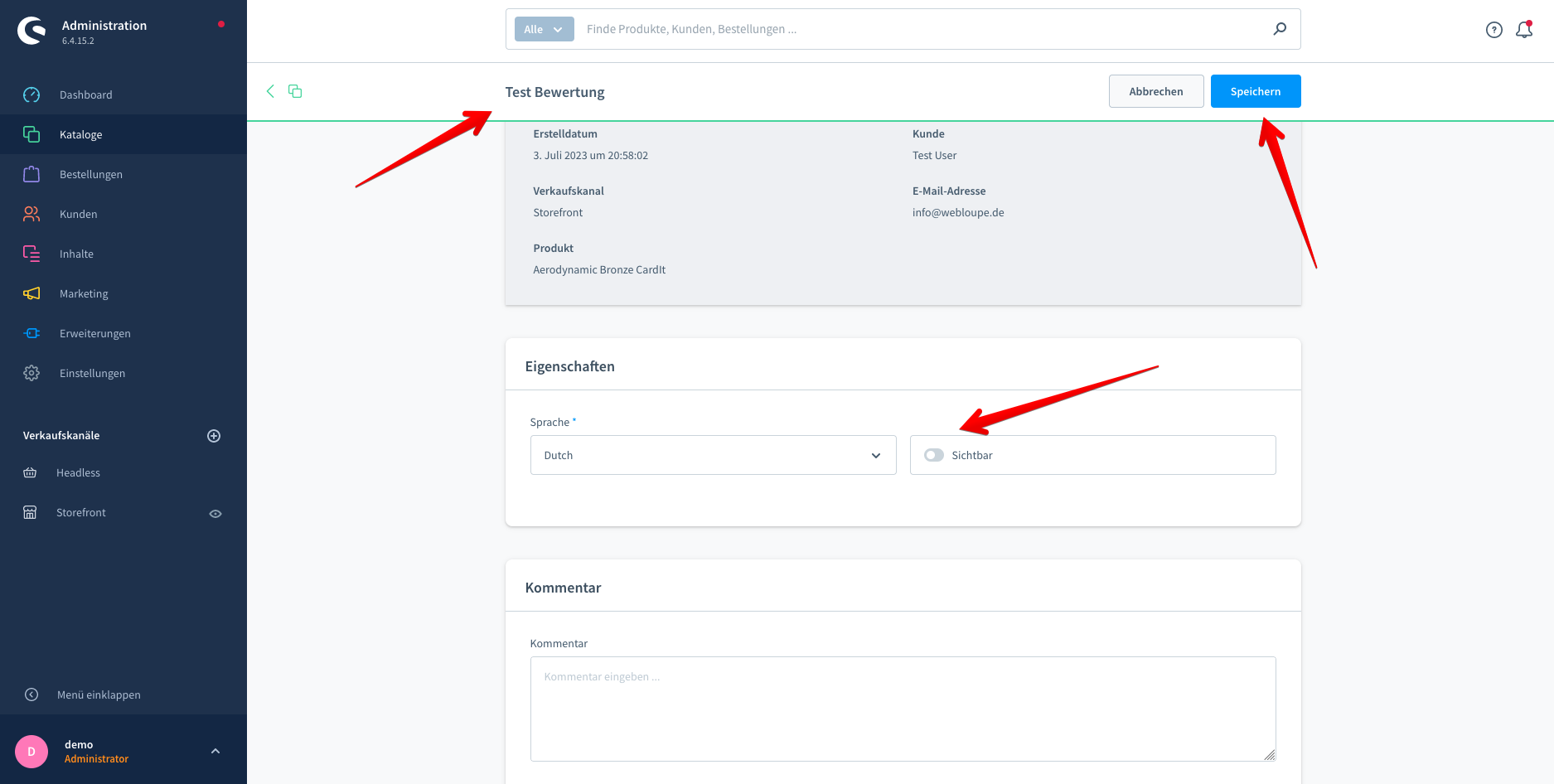
💡 Typical use cases
Collect more authentic reviews
Motivate customers with a voucher to review purchased products – for more trust and better conversion.
Strengthen customer loyalty
Reward active customers with a voucher and give them an incentive for their next purchase.
Encourage repeat purchases
The issued voucher encourages a new order and increases the customer lifetime value.
⭐ Benefits for shop operators
- More authentic product reviews directly in the customer account
- Automatic, configurable voucher as a reward
- Fully automated process – from review to voucher delivery
- Full control per sales channel and customer group
- Stronger customer loyalty and more repeat purchases
🧩 Feature set
- Product review directly in the customer account
- Automatic voucher after the review is approved
- Freely configurable voucher value via Shopware promotions
- Control via order and delivery status
- Consideration of orders from the last x days
- Per-sales-channel configuration including customer group exclusion
- Automatic voucher delivery with a custom email header and footer
📬 Support
For questions, suggestions for improvement or individual adjustments, you can reach us by email at support@cnk-plugins.de.