Additional Delivery Information – Contact Person
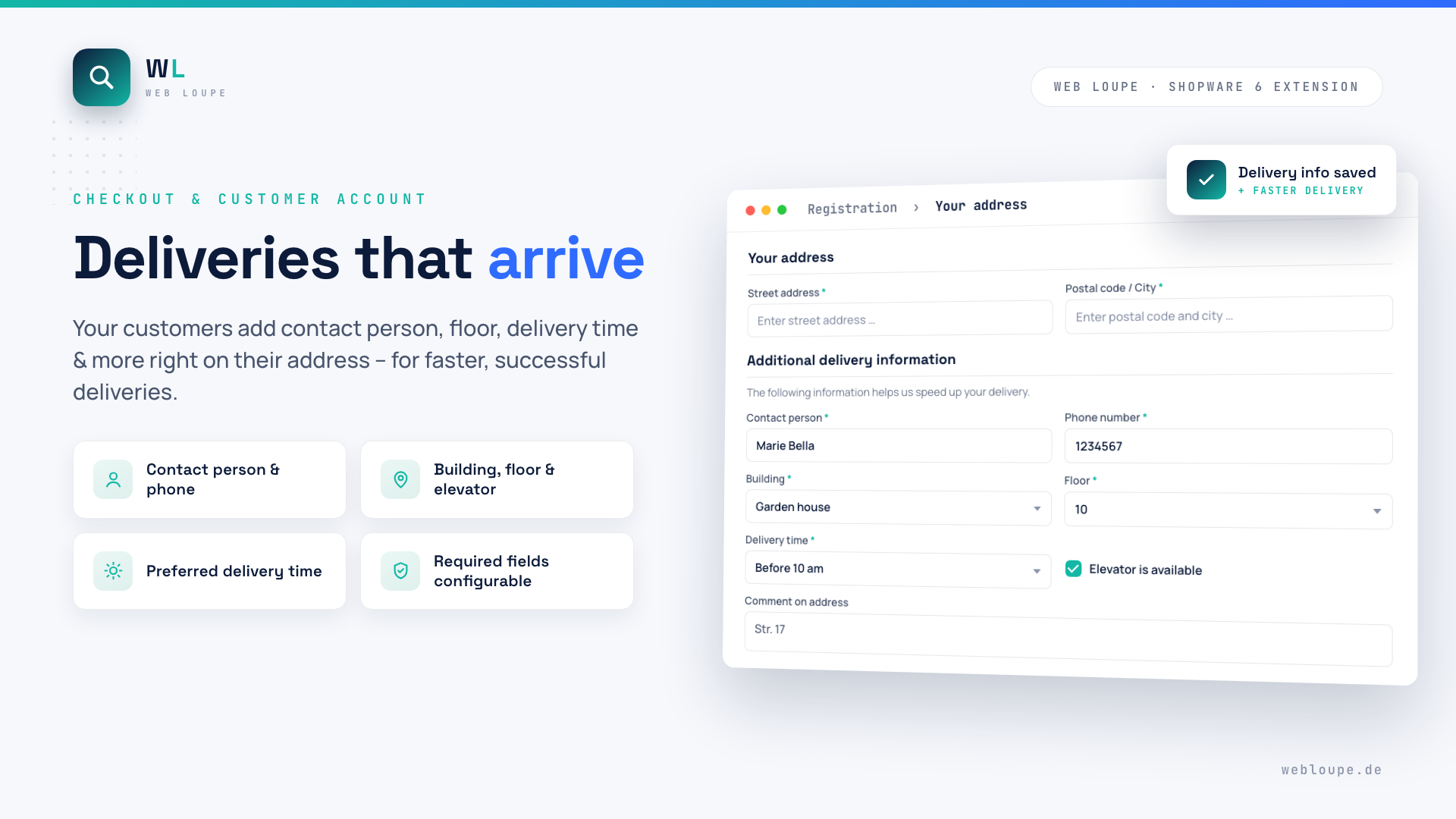
With the Additional Delivery Information plugin your customers add contact person, phone number, building, floor, delivery time, elevator availability and a comment right on their address – during registration, in the customer account or in the checkout. The carrier gets every detail needed for a successful delivery: fewer failed deliveries, fewer queries, fewer returns.
All details are stored on the customer address and appear neatly in the checkout as well as on the order in the Shopware backend.
Highlights
- 🚚 Seven additional delivery fields: contact person, phone, building, floor, delivery time, elevator, comment
- 🛒 Available in registration, customer account and checkout
- ⚙️ Every field individually activatable and optionally required
- 📝 Configurable help text above the form
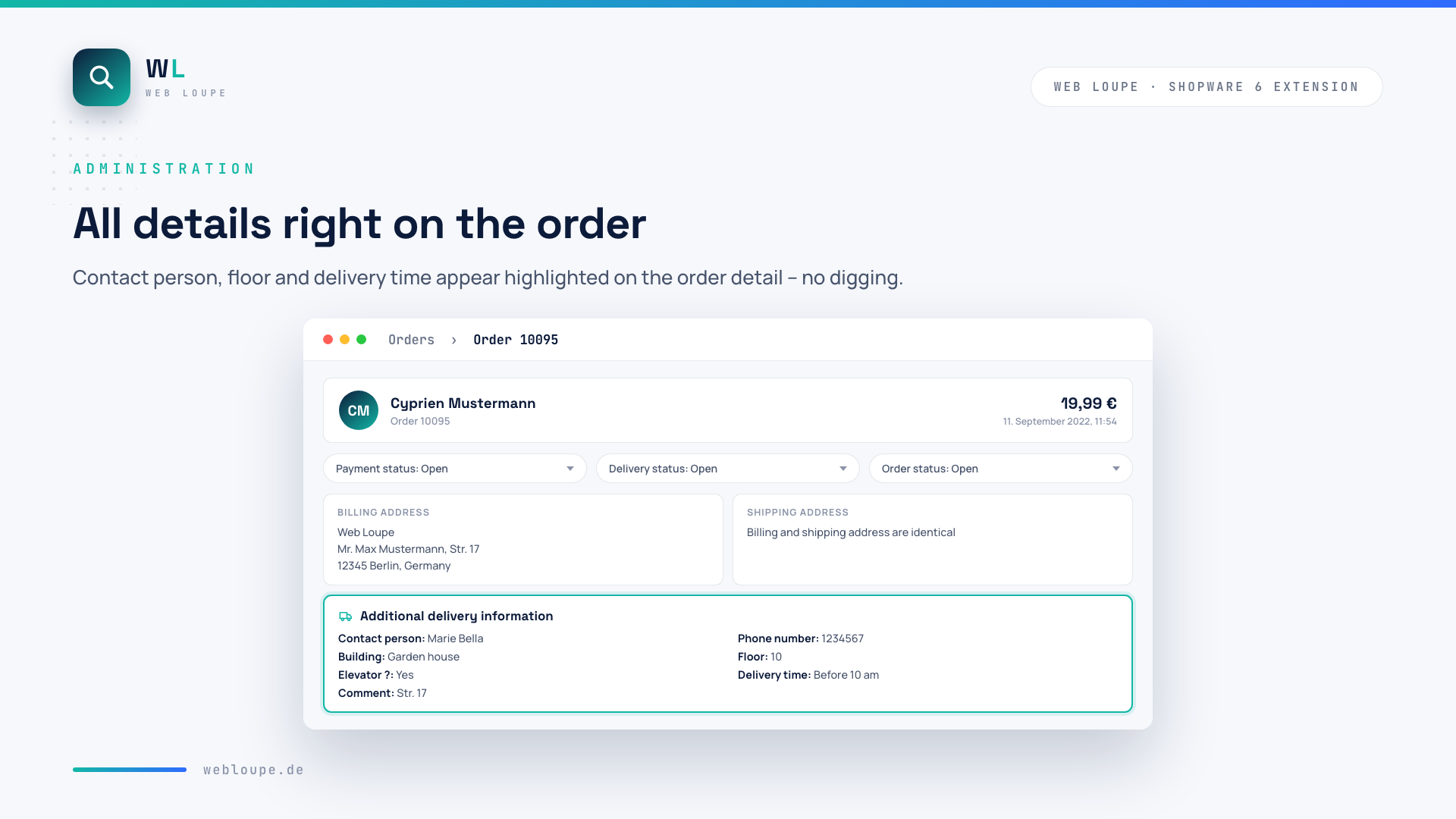
- 🖥️ All details highlighted on the order detail in the backend
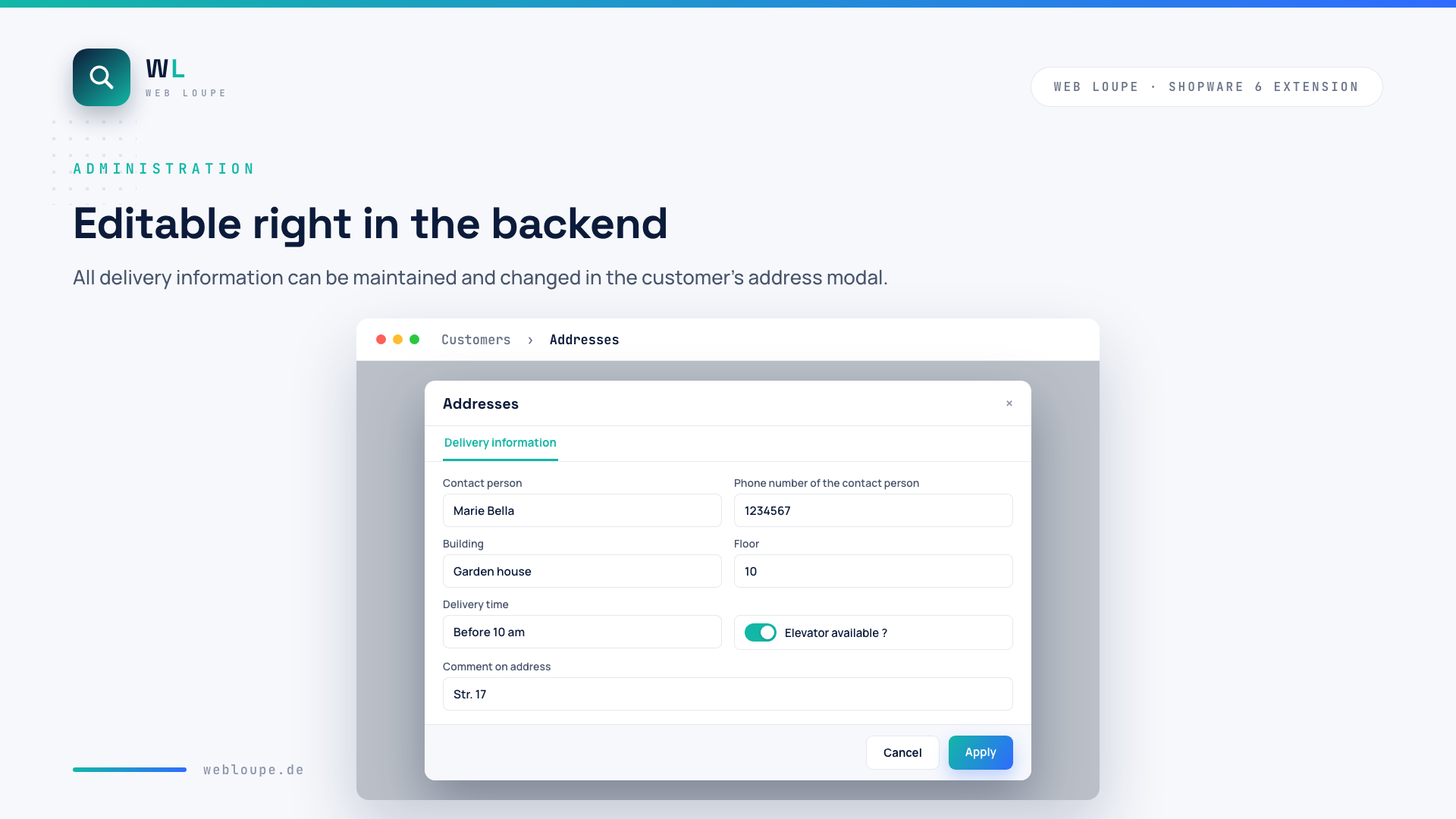
- ✏️ Editable in the backend via the address modal
- 🌍 Multi-language (German, English)
🔧 Installation
- Install via the Shopware Store
- Install and activate the plugin in the Shopware plugin manager
- Configure the plugin, clear the cache and reload the backend
⚙️ Configuration
You find the configuration in the backend under Extensions → My extensions → Additional delivery information → Configuration:
- Activate the plugin? – switches the plugin on or off globally
- HelpText – the text above the input fields (default: "The following information helps us speed up your delivery.")
- Enable the HelpText? – shows or hides the help text
For each field you decide individually whether it is displayed and whether it is required:
| Field | Activatable | Can be required |
|---|---|---|
| Contact person | ✓ | ✓ |
| Phone number | ✓ | ✓ |
| Building | ✓ | ✓ |
| Floor | ✓ | ✓ |
| Delivery time | ✓ | ✓ |
| Elevator available (checkbox) | ✓ | – |
| Comment on address | ✓ | ✓ |
🚀 How it works
1. Customer fills in the delivery information
During registration, in the customer account or in the checkout, the activated fields appear right below the address.
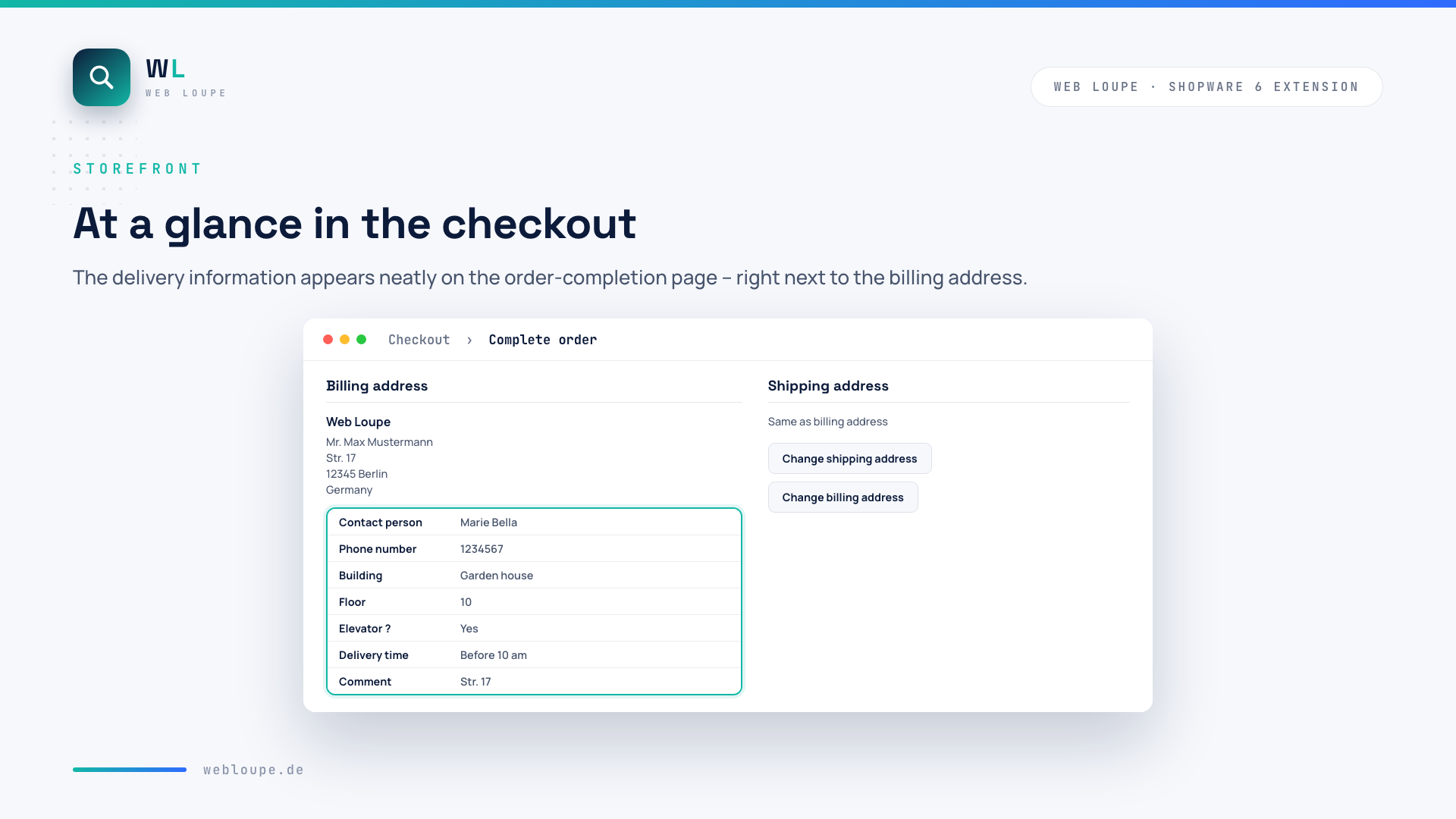
2. Overview in the checkout
On the order-completion page all details are displayed neatly next to the billing address.
3. All details on the order in the backend
On the order detail the delivery information appears highlighted – contact person, floor and delivery time at a glance.
4. Edit in the backend
Via the customer's address modal all details can be maintained and changed at any time.
💡 Typical use cases
Deliveries to company addresses
Contact person, building and floor make sure parcels reach the right recipient in large buildings.
Bulky goods & furniture
Floor and elevator information help the forwarding agency plan the delivery correctly.
Fewer failed deliveries
Phone number and preferred delivery time reduce queries, missed deliveries and returns.
❓ FAQ
On which pages do the fields appear?
In the registration, in the account overview, on the addresses in the customer account (including modal and edit), in the checkout and when changing the address in the checkout.
Can I deactivate individual fields or mark them as required?
Yes. Each field can be activated or deactivated individually in the plugin configuration and – except for the elevator checkbox – marked as required.
Where do I see the details in the backend?
In the customer account, on the customer addresses and on the order detail (including the order addresses). The details are displayed highlighted and can be edited via the address modal.
Is the plugin multilingual?
Yes, the plugin supports German and English.
📬 Support
For questions, suggestions or individual adjustments, reach us by email at shopware@webloupe.de.